Fast & Accurate
Get results in seconds with high accuracy.
Upload a purchase or sales invoice and let myDigiBill AI Scan pull supplier name, GSTIN, invoice number, date, tax and line items — so you spend less time on manual entry and more time running your business.
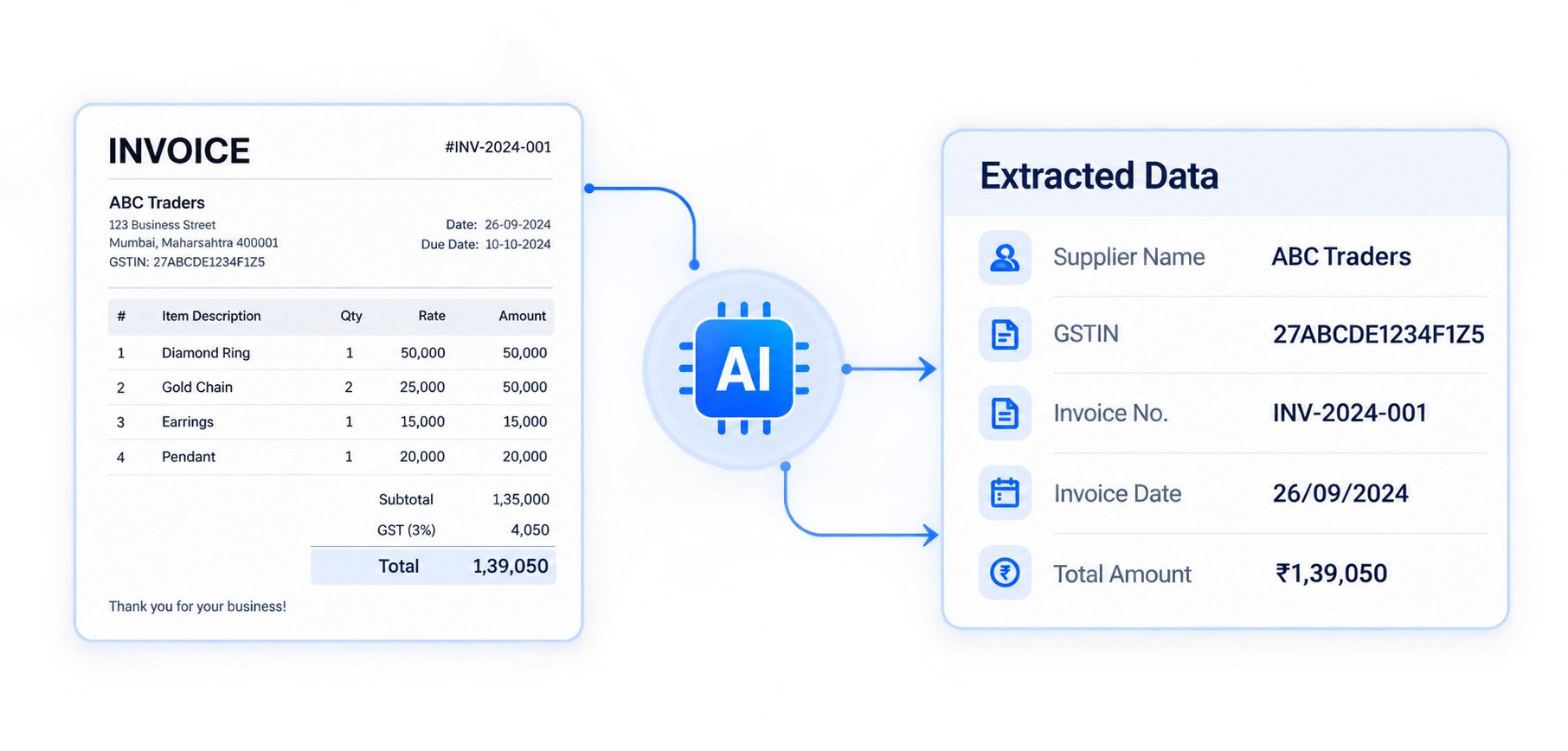
AI Scan is myDigiBill’s document intelligence feature for GST bills. Drop a PDF or image invoice, and the same engine used inside the app maps key business fields into a review-ready layout — supplier, GSTIN, invoice number, date, taxable amount, GST and totals.
It is built for Indian retailers, wholesalers, traders and SMEs who receive many supplier invoices and want faster purchase entry without changing how they bill today. Clear digital PDFs and sharp scans give the best results; you always stay in control of the final values.
Upload an invoice and see how AI extracts supplier, GSTIN, items and totals in seconds. Always verify values before using them in your workflow.
Supports PDF, Scanned PDF, JPG, PNG, WEBP, Excel (.xlsx/.xls), CSV, and TXT
Preparing…
| Supplier Name | — |
|---|---|
| GSTIN | — |
| Invoice No. | — |
| Invoice Date | — |
| # | Item | Qty | Rate | Tax % | Amount |
|---|---|---|---|---|---|
| Items appear after a successful extraction | |||||
Need unlimited scans? Use AI Scan inside Purchase Bills in the app.
Your uploaded document preview appears here after extraction.
Get results in seconds with high accuracy.
Minimizes data entry errors and saves time.
PDF, JPG, PNG, WEBP, XLSX, CSV, TXT, DOCX.
Review and confirm data before using it.
Get your invoice data in just 4 simple steps — from upload to review-ready fields you can trust before saving.
Upload your invoice in PDF, JPG, or PNG format from any device.
AI Scan reads the layout and analyzes headers, tax blocks and line items.
Important business details are mapped into clear, structured fields.
Check results, then use the data in Purchases, Sales or other modules.
Save time, reduce manual work and get accurate invoice data every time — without changing your GST billing process.
AI extracts supplier, GSTIN, amounts and items with strong precision on clear invoices.
Skip retyping long bills — start from extracted fields and finish faster.
Fewer missed GSTINs, wrong rates or total mismatches during purchase entry.
Simple upload, clear progress, and a review layout anyone on your team can follow.
Upload clear invoices up to 20 MB. Best results with digital PDFs and sharp scans.
Verify GSTIN, HSN, tax rates and totals before posting the bill in myDigiBill.
Practical day-to-day situations where invoice extraction saves hours every week for Indian GST businesses.
Receive tax invoices on WhatsApp or email, upload them, and start from extracted headers and items instead of blank purchase forms.
When bills pile up during season, AI Scan helps your team clear purchase backlog without skipping GST fields.
Standardise how invoices are captured across branches — same review layout, same fields, same myDigiBill workflow.
Clear answers about the website demo, supported files, and how AI Scan works inside myDigiBill.
No. You can try the public AI Scan demo here without a website login. Saving bills into Purchases or Sales still happens inside your myDigiBill account.
In the product, AI Scan is available on flows such as Purchases, Sales, Quotations, Challans, Products and Parties.
PDF, JPG, PNG and WEBP work best for invoices. Spreadsheets and documents (XLSX, CSV, TXT, DOCX) are also supported up to 20 MB.
Edit any field in the review screen before applying. You stay in control of the final bill data — AI is a starting point, not the final post.
Yes — this page uses the same extraction approach. The app adds firm context, party matching and one-click apply into your modules after you sign in.
Yes. Upload from your phone browser or use AI Scan inside the myDigiBill app on mobile and desktop.